← All work
Case Study

Voyager Sopris Velocity

Voyager Sopris makes K–5 literacy and math products for schools. Velocity needed a complete redesign: from the adaptive learning experience to the design system used to build it.

Role Senior Product Designer
Disciplines UX research · Product design · Design systems
Year 2021–2022
Employer Tectonic
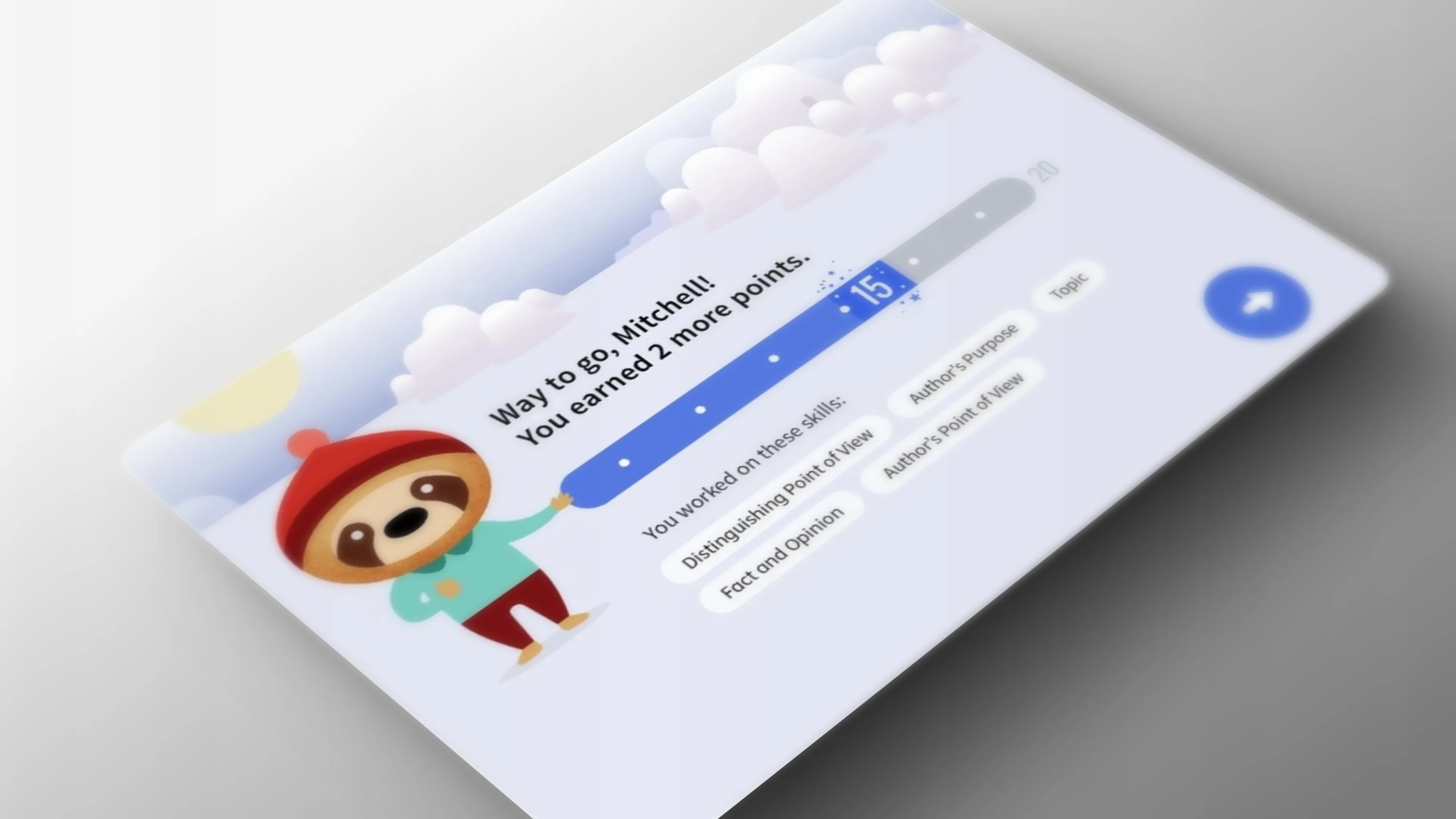
Voyager Sopris Velocity reward screen — character celebrating student progress with skill badges

The context

Understanding the classroom first.

Before any design work, we spent time understanding how Velocity was actually being used, by teachers managing 25 kids at once, on aging school hardware, in classrooms where bandwidth wasn’t guaranteed. The constraints were real.


Product design

The core learning loop.

The lesson experience needed to support a student working independently while giving the teacher visibility across the room at the same time. Those two needs had to coexist in the same product, designed so neither user felt like an afterthought.

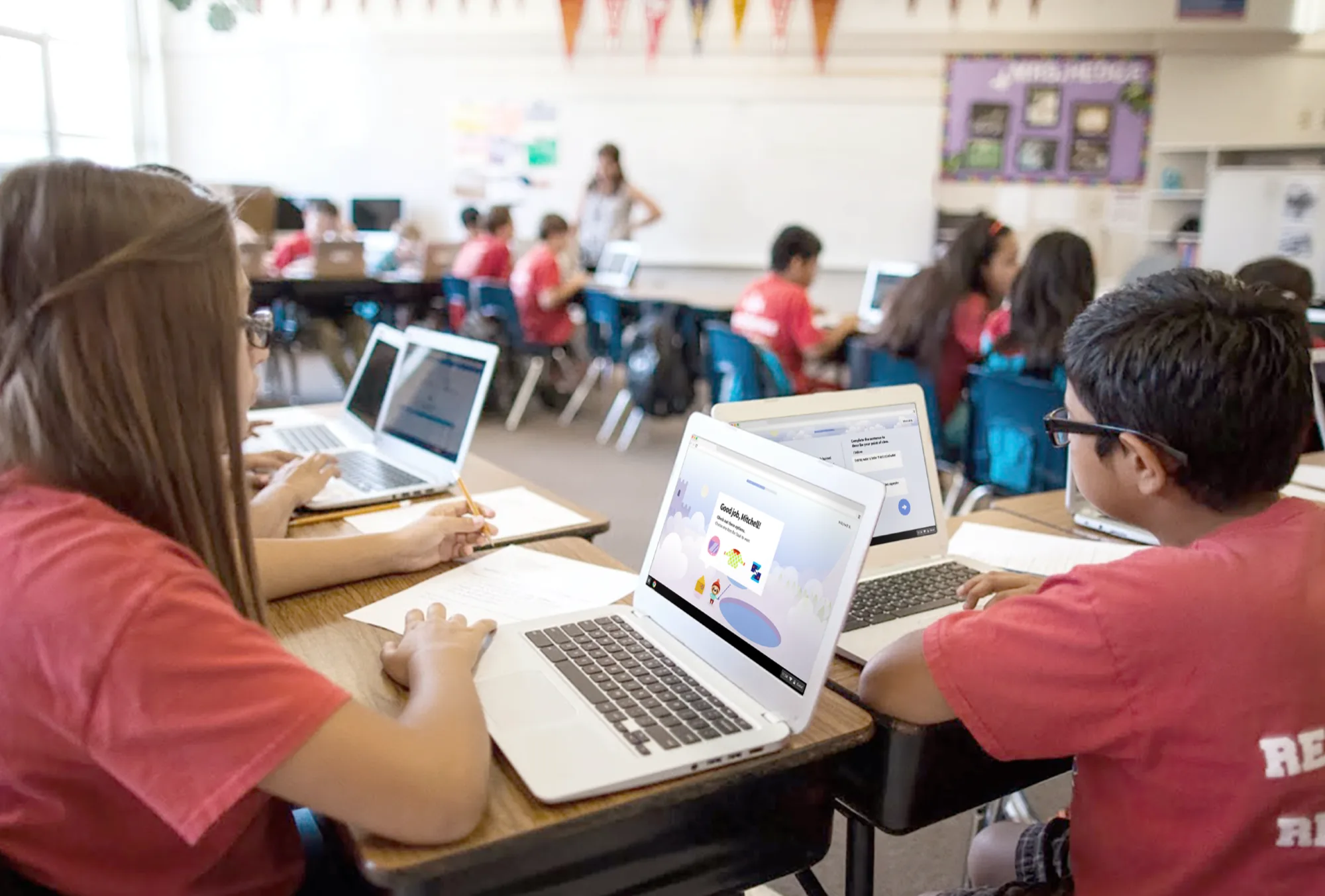
Students using Velocity on Chromebooks in a classroom
Classroom observation
Collage of collaborative workshop sessions with sticky notes, affinity maps, and team discussions
Stakeholder workshops

Information architecture

Structuring the content.

Velocity had a wide range of activity types across subjects and grade levels. Mapping those consistently was the foundation of the design system. Without that structure, every new activity would be a design problem from scratch.

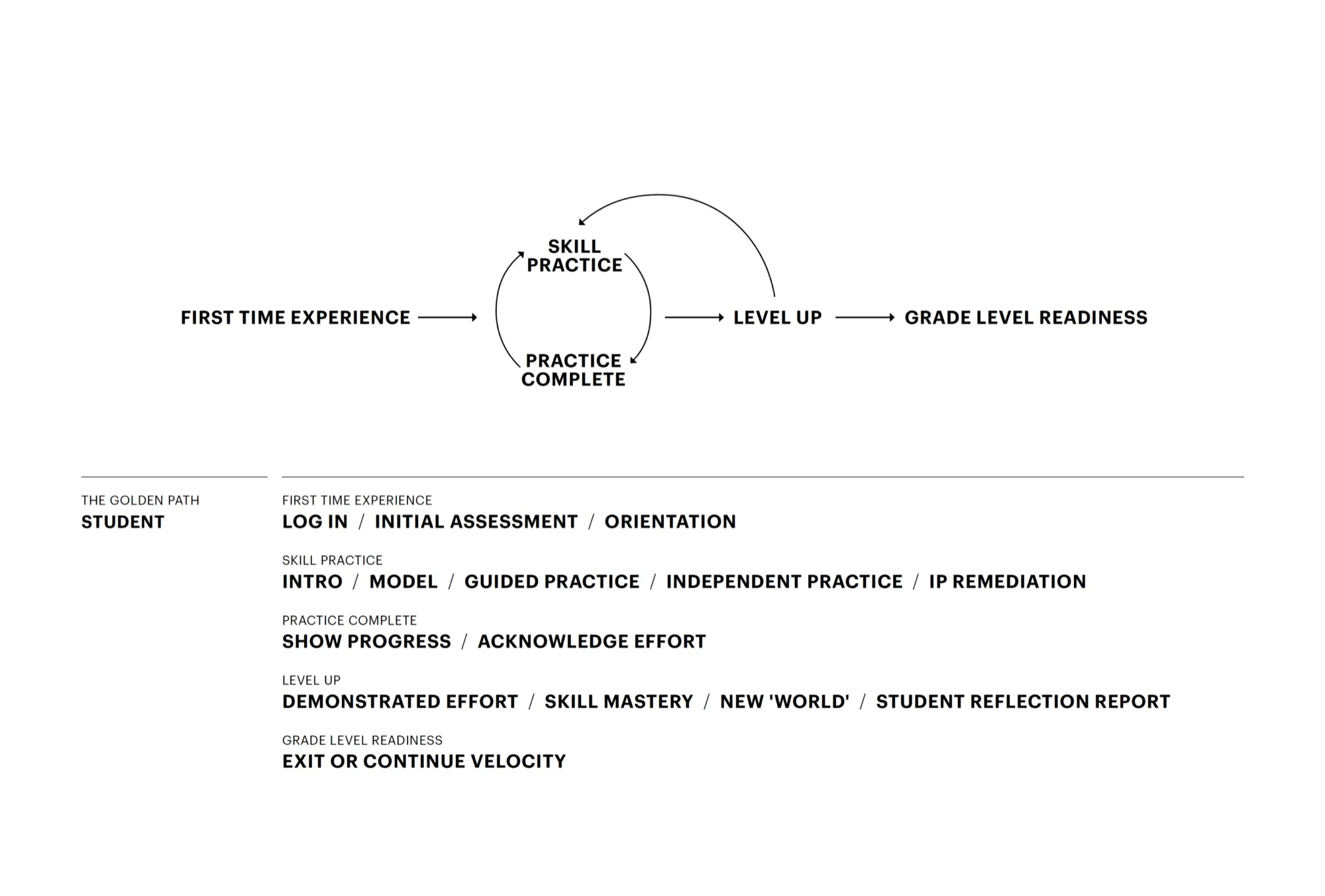
Student golden path diagram — from first-time experience through skill practice, practice complete, level up, to grade level readiness
Golden path

The student journey from login to grade-level readiness.

UX framework showing the shell/model structure — All Up Map, Home, Skill Experience, Activity Element, and Summary
Interaction model
Feature matrix showing priority areas — Student Launchpad, Lesson Experience, Intrigue Layers, Character Construction, and Illustration Style highlighted
Feature prioritization

Visual design

Making it feel like a product for kids.

The visual language had to communicate “learning tool” without feeling like enterprise software. Approachable, clear, and age-appropriate, without being condescending to the kids or the teachers using it.

Design principles framework — Empowerment theme with Supportive, Challenging + Achievable, and Playful pillars
Design principles
Six UX principles — z-space, clean design, buoyancy, clear direction, surprise, and sense of progress
UX principles
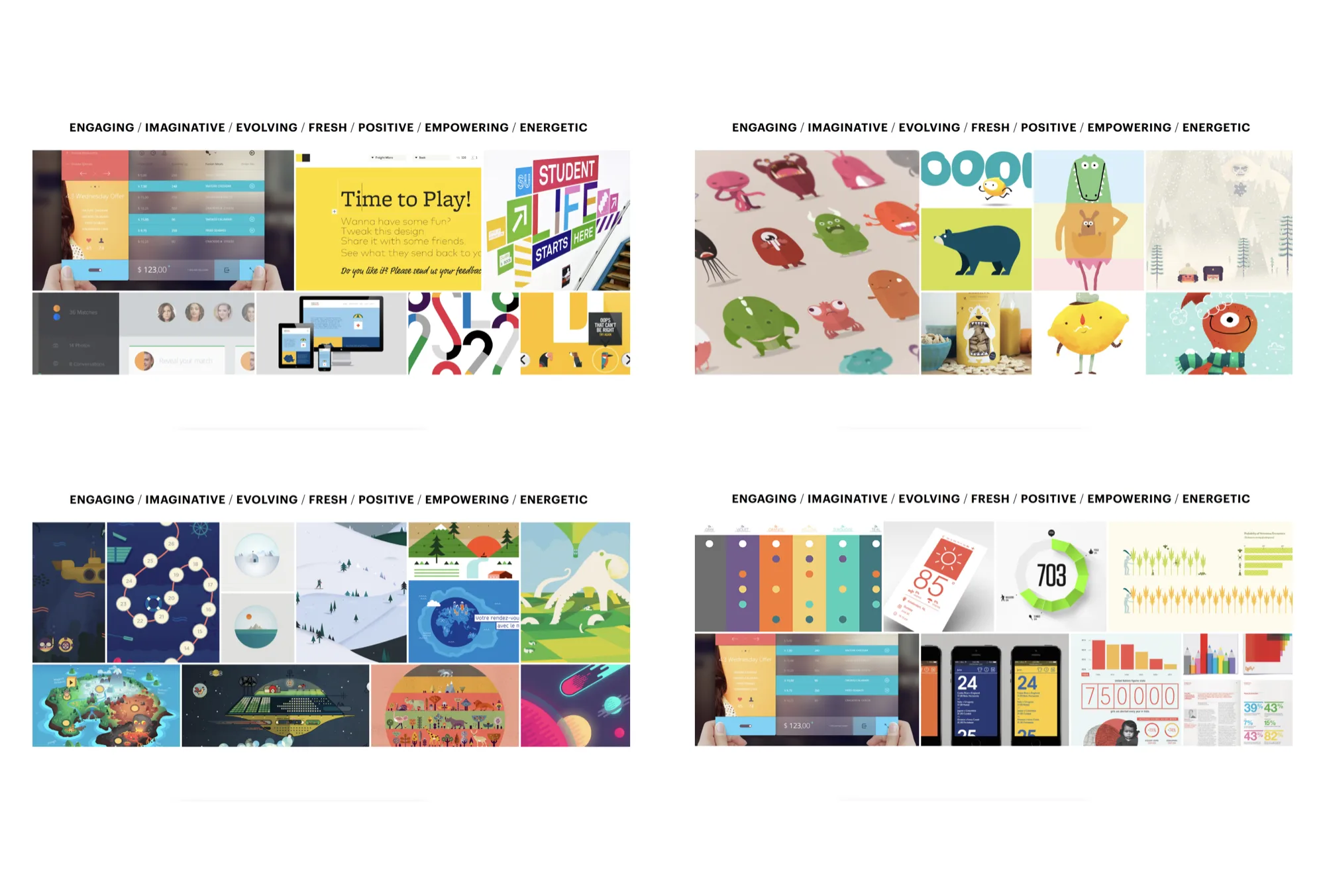
Four mood board directions exploring visual tone — engaging, imaginative, evolving, fresh, positive, empowering, energetic
Visual exploration

The work

Worlds, lessons, and rewards

The student experience unfolds across themed worlds. Each world introduces lessons through animated characters and z-space environments, with a reward system that acknowledges effort and tracks skill mastery.

Snow World introduction — Chromebook showing animated cloud landscape with z-space depth
Snow World introduction

Animated environments use z-space depth to create an engaging and playful entry into each world.

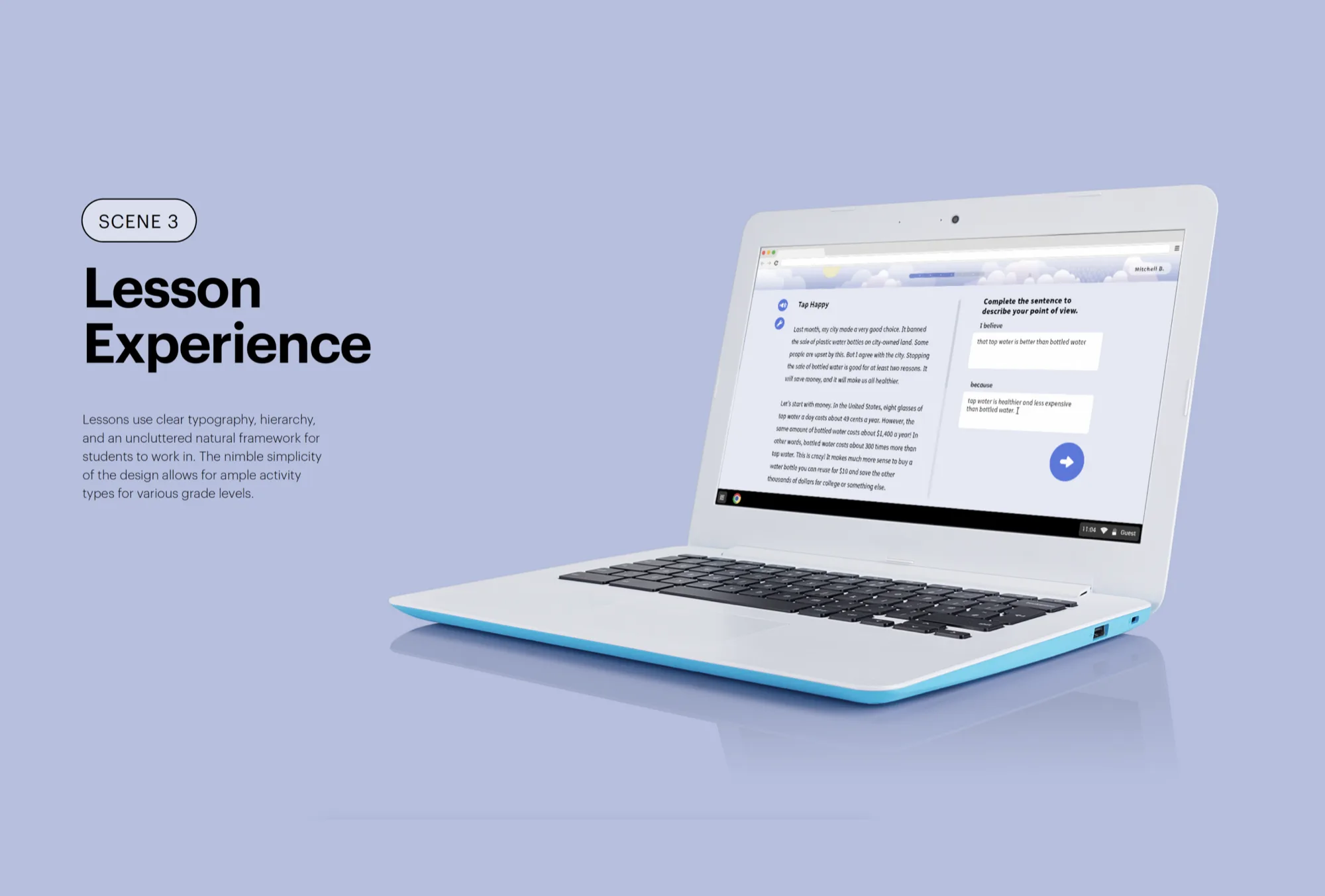
Lesson experience — clean reading interface with clear typography hierarchy and natural framework
Lesson experience

Clear typography, hierarchy, and an uncluttered framework for students to work in across grade levels.

Four lesson interaction states — reading, highlighting, character prompt, and activity transition
Interaction states

Lesson flows adapt between reading, highlighting, guided practice, and character-driven transitions.

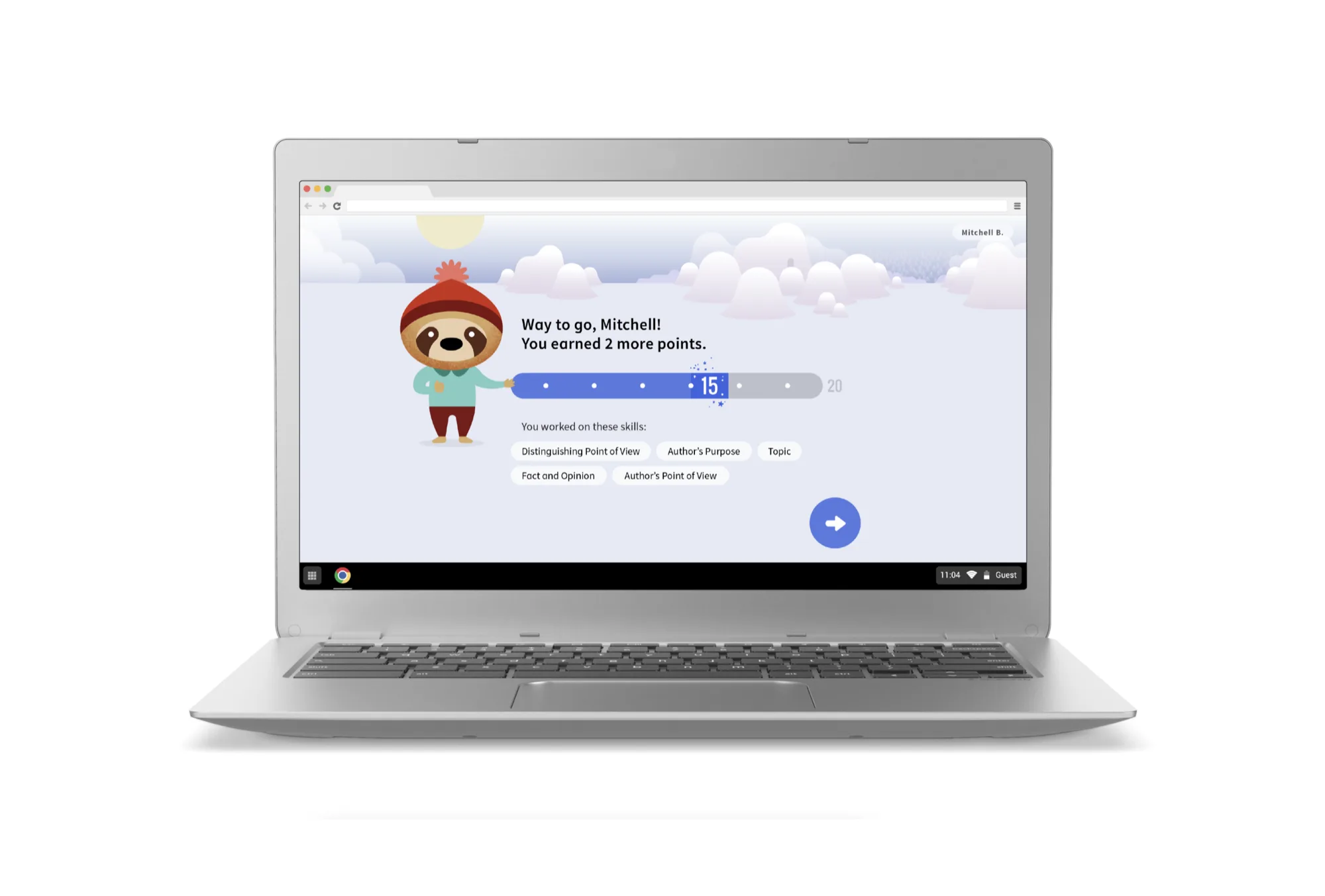
Reward screen — personalized message showing points earned and skills practiced
Progress + reward

Personalized feedback acknowledges effort and shows skills practiced after each session.

Portal transition — animated map showing student progress between worlds
Portal transitions

Portals show students how they're progressing through worlds and preview their next adventure.

1 / 5

Interaction design

Seven ways students engage with text

The adaptive engine presents different interaction types depending on the skill being assessed: cold read, highlight, drag and drop, text input, guided practice, and more. Each activity maps to a specific comprehension skill and feeds data back to the algorithm, which adjusts difficulty and sequencing in real time. Students complete skill experiences to earn progress points, level up through themed worlds, and ultimately reach grade-level readiness.

Student welcome screen — personalized onboarding with character greeting and world preview
Student onboarding

A personalized welcome sets the tone before students enter their first world.

Portal map screen showing student progress across worlds with completed and upcoming levels
Portal navigation

The portal map gives students a persistent view of where they’ve been and where they’re headed.


Design system

Design guidelines.

The design system documentation gave the engineering team a foundation they could build from independently: component specs, interaction patterns, usage guidance, and the logic behind every decision.

Student Experience Design Guidelines cover — listing UX Framework, Principles, Typography, Graphic Elements, Structure + Grid, Color + Tone, and more
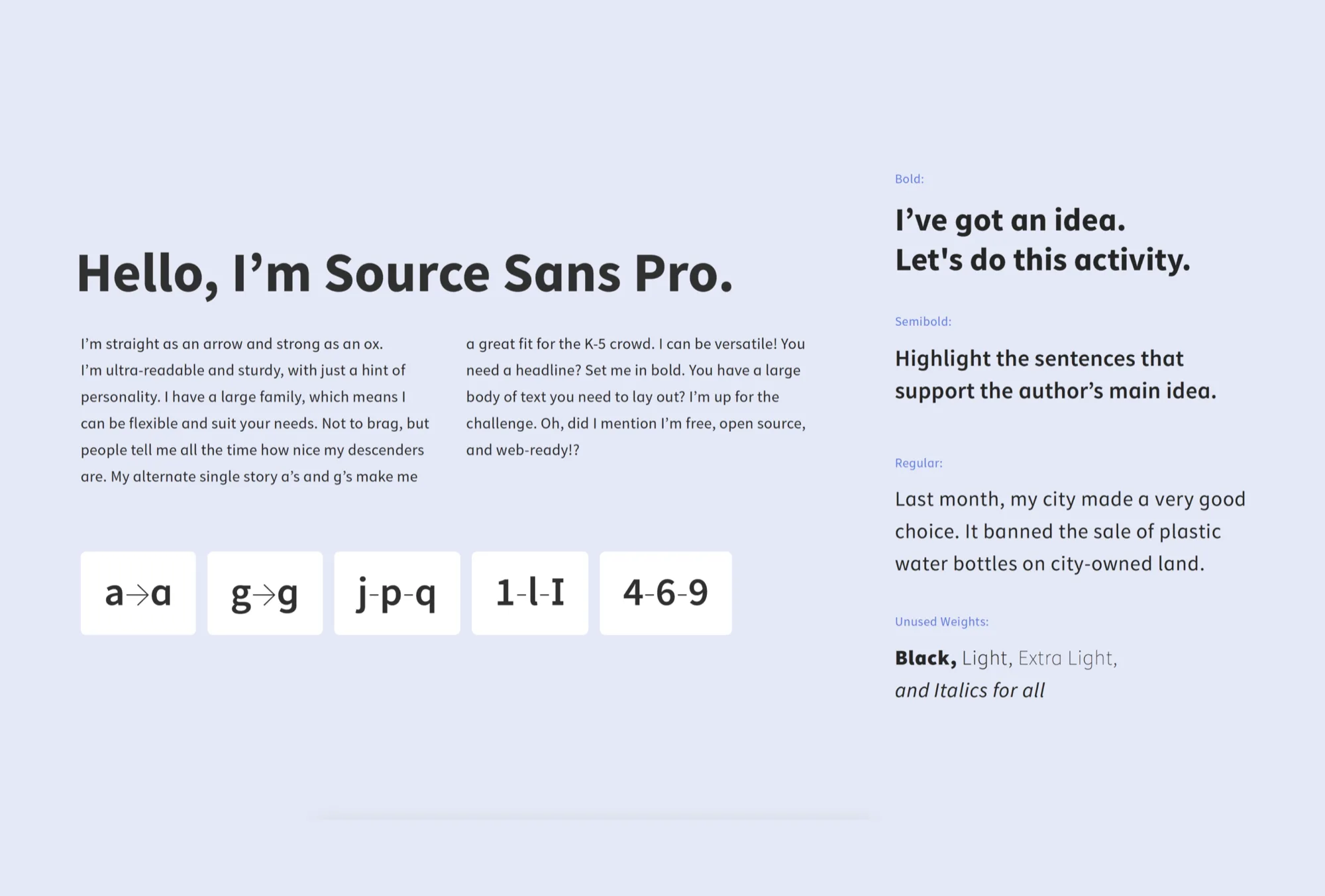
Source Sans Pro typography system — body text, headings, and reading passages
Source Sans Pro
Oswald Numbers — custom numeral system for scoring and progress displays
Oswald Numbers
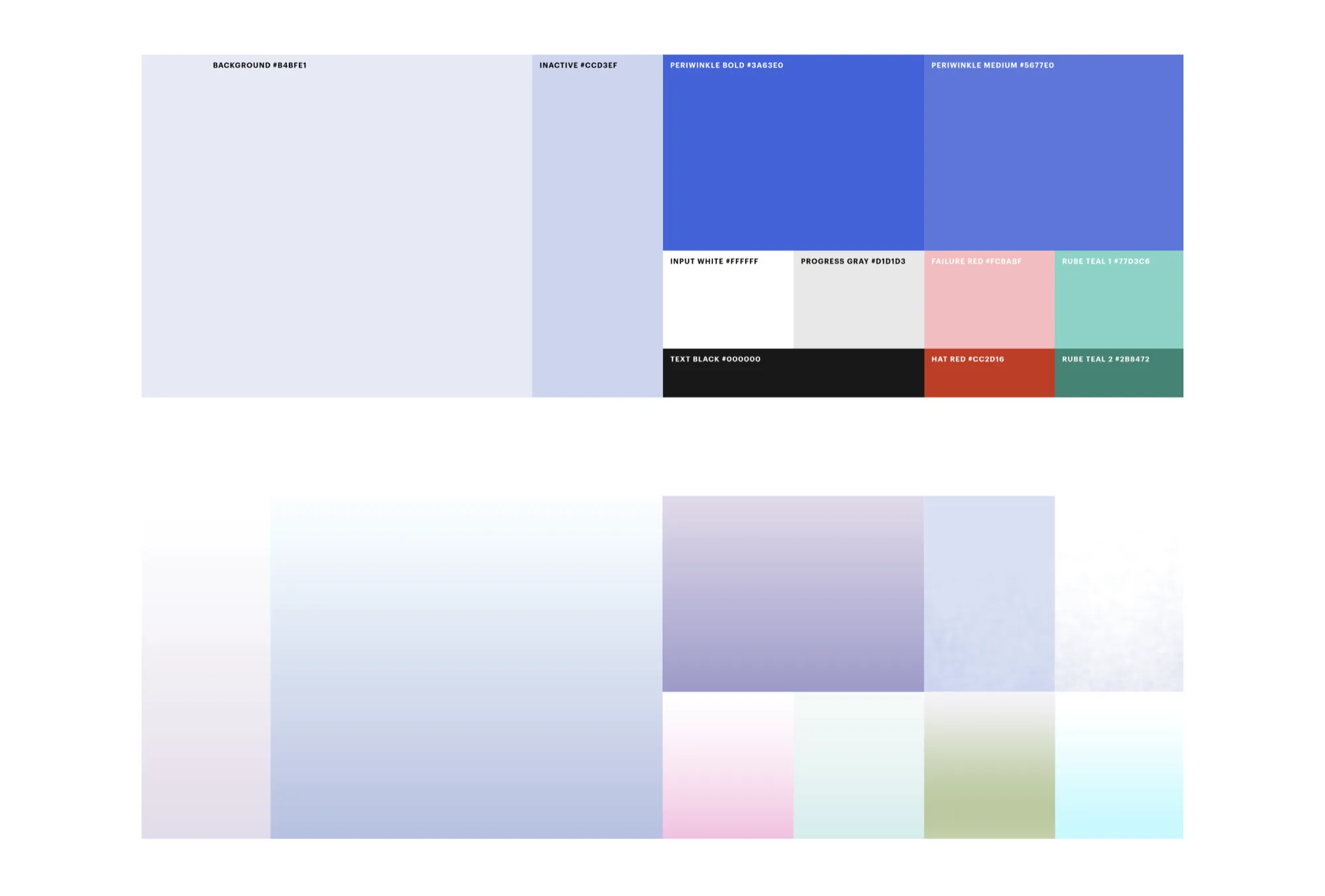
Color system — periwinkle, background, inactive, progress gray, failure red, and gradient textures
Color + gradients
UI component breakdown — navigation icons, progress bar, lesson activity layout, and character integration
UI components
Full deliverables overview — design guidelines, UX framework, typography, color system, component library, motion specifications, and illustration style guide
Deliverables overview

The full handoff package spanning UX framework, visual guidelines, component specifications, motion direction, and illustration style.


Responsive design

Chromebook-first, everywhere ready

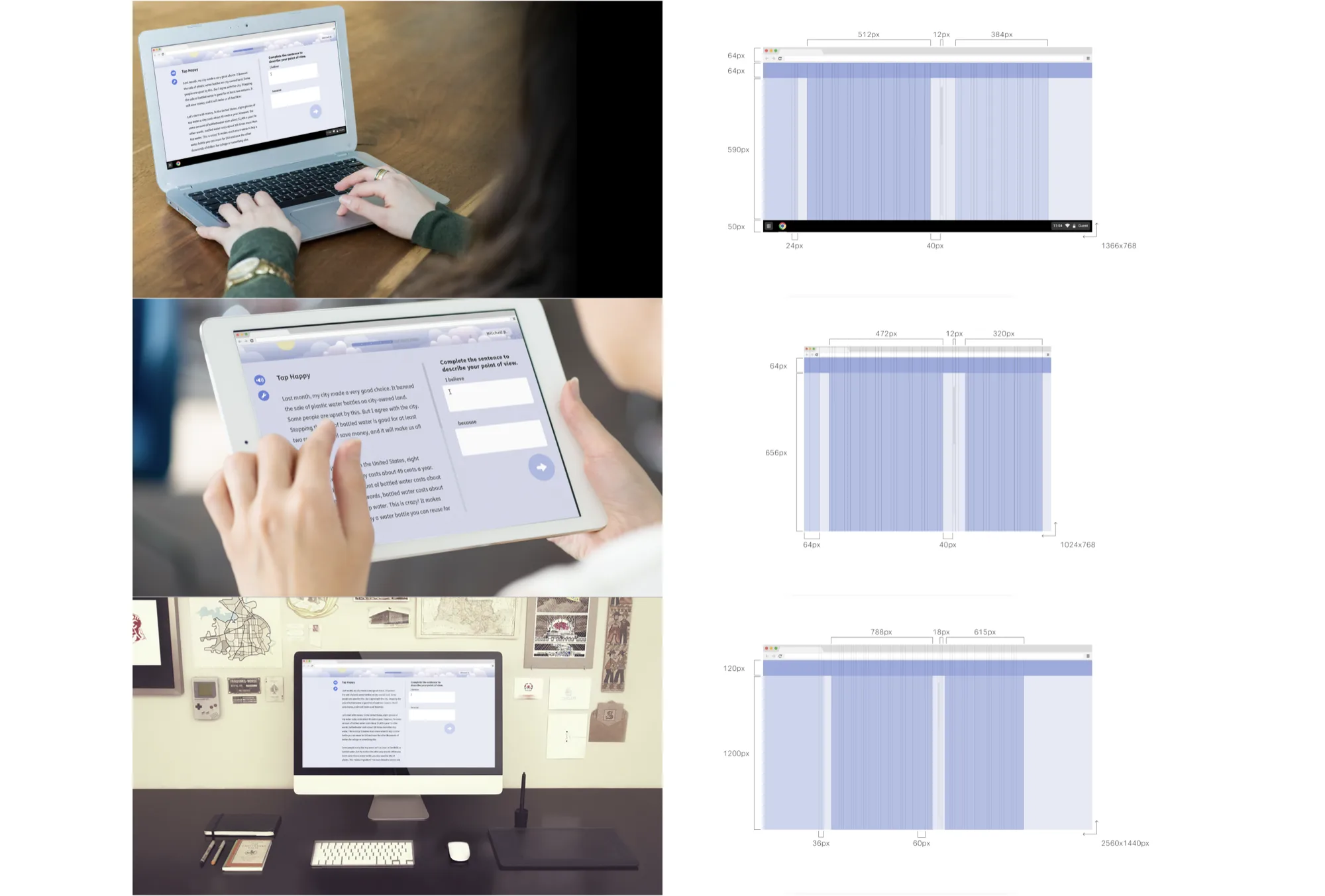
Designed for the Chromebook dimension as the primary target, with touch and mouse support. The focused experience floats centered on screen, scaling responsively without requiring a full responsive system, accommodating iPads and full-screen desktop as well.

Responsive design across devices — laptop, tablet, and desktop with corresponding grid breakpoints

Outcomes

Research-grounded

Every major decision tied to observed classroom behavior.

System delivered

Full design system with engineering documentation.

Two users, one product

Student and teacher experiences designed in parallel.

Next case study
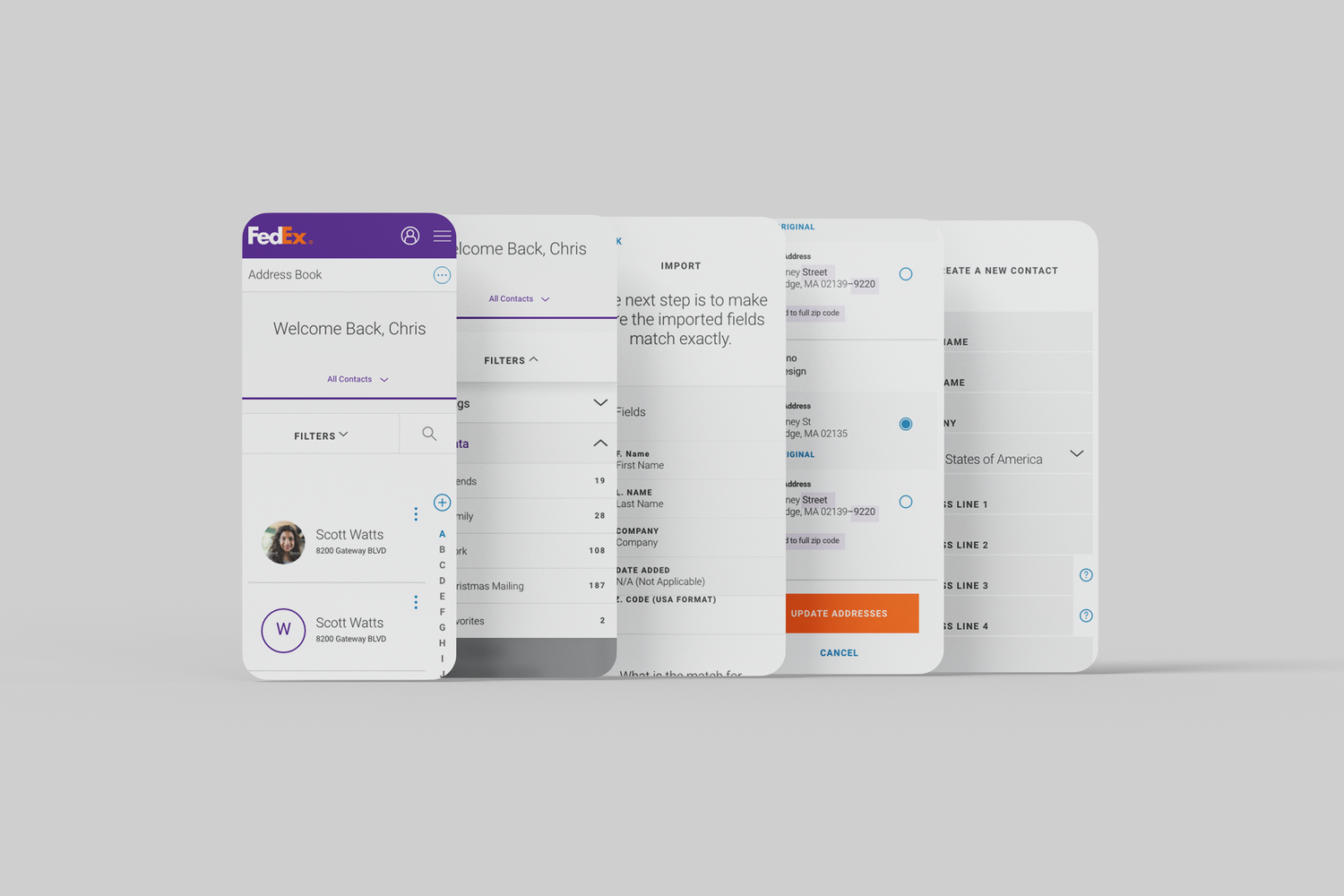
FedEx Address Book
Senior UX Designer

FedEx Address Book

Contact management redesign, research-led.

Open to new work.

Boston & remote

will.a.bruno@gmail.com